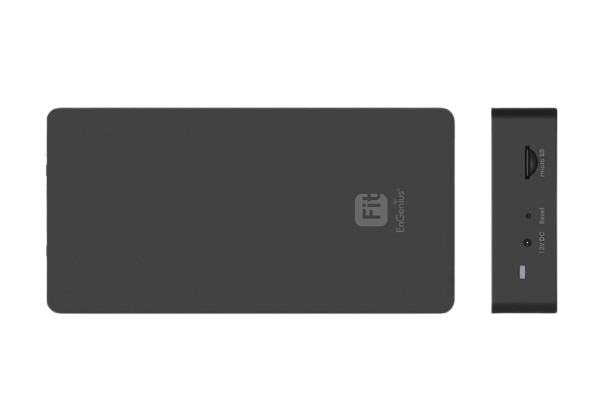

The EnGenius Fit Network Management Controller, also known as FitController, is a centralized network management solution designed to simplify the deployment, configuration, monitoring, and maintenance of EnGenius Fit networking devices. It provides IT administrators with a convenient platform for managing compatible access points, switches, and other network infrastructure from a single interface.
FitController helps administrators manage multiple compatible EnGenius Fit devices through one centralized management platform. This reduces the need to configure individual devices separately and makes everyday network administration more efficient.
The controller supports streamlined network deployment by allowing administrators to discover and configure compatible devices from a centralized interface. This makes it suitable for business environments where multiple network devices need to be managed efficiently.
FitController provides visibility into connected network devices and their operational status. Administrators can monitor network infrastructure from a centralized dashboard, helping them identify configuration issues and maintain reliable network performance.
Compatible EnGenius Fit access points can be managed through the controller, including essential configuration and monitoring functions. This helps organizations maintain consistent wireless network settings across different locations and deployment areas.
FitController can also provide centralized management for compatible EnGenius Fit switches. Network administrators can configure and monitor supported switching infrastructure without having to access each device individually.
The centralized management approach helps reduce administrative complexity and saves time when managing growing network environments. It is useful for organizations that require a straightforward solution for maintaining multiple EnGenius Fit devices.
The EnGenius FitController is suitable for offices, educational institutions, retail businesses, hospitality environments, and other organizations that require centralized network management. Its management-focused design helps IT teams maintain organized and manageable network infrastructure.
For businesses looking to simplify EnGenius Fit network administration, the EnGenius Fit Network Management Controller provides a practical centralized management solution. Customers in Bangladesh can purchase compatible networking solutions through TechDistri, with product availability and support based on current stock and applicable service terms. This product comes with a 12-month warranty.
| LED Indicators | ||
| Power | 1 x Blue LED | |
| LAN | 2 x Green LEDs | |
| Package Contents | ||
| Included Items | FitController100, Product Card, Ethernet Cable, Wall Mount Accessories (No Power Adapter) | |
| Power Source | ||
| Power Input Options | Optional DC12V/1A Adapter or PoE Switch (802.3af) | |
| Dimensions & Weight | ||
| Device Dimensions (L×W×H) | 174.25 mm × 77.4 mm × 43 mm | |
| Device Weight | 165 g | |
| Packaging Dimensions | 174.25 mm × 100.5 mm × 43 mm | |
| Packaging Weight | 260 g | |
| Master Carton | 17.95″ × 8.66″ × 8.26″ (20 pcs/carton) | |
| Master Carton Weight | 5.82 kg | |
| Certifications | ||
| Compliance | FCC, CE, IC, UKCA | |
| CPU | ||
| Model | Qualcomm® Quad-Core ARM Cortex A53 @ 1.8GHz | |
| Architecture | 32-bit | |
| Hardware Encryption Acceleration | Yes | |
| Memory | ||
| System Memory | 2GB DDR4 | |
| eMMC | 8GB (MLC) | |
| Interface | ||
| Ethernet Ports | 2 x 10/100/1000 Mbps RJ45 (1 x PoE 802.3af) | |
| Micro SD Slot | 1 x Micro SD Slot | |
| DC-Input Jack | 1 x DC-Input Jack | |
| Reset Button | 1 x Reset Button | |
| Management | ||
| Max Device Support | Manage up to 100 EnGenius Devices (APs or Switches) | |
| Dashboard | Managed Devices, System Resource, Recent Projects | |
| System Resource Usage | CPU, Memory, Disk utilization | |
| Global Settings | Multi-Tenant Accounts: Master, Users, Guests | |
| Alerts | Email Alert | |
| Backup / Restore | To FitController or Micro SD card | |
| Maintenance Options | Reboot/Reset, Bulk Update, Software Update | |
| Auto Features | Auto Transmit Power, Auto Channel | |
| Device Inventory | Register EnGenius FIT Devices | |
| Project Management | Device Config, Summary, SSID Settings, VLAN, Fast Roaming, Band Steering, Traffic Shaping | |
| AP Groups | Supported | |
| Scheduling | Reboot, SSID Scheduler | |
| Monitoring | Rogue AP Detection, Active Clients | |
| Visualization | Topology View | |
| Statistics | Real-Time Throughput, Wireless Client Info | |
| Hotspot Service | Captive Portal (NAT / Bridge), Guest Account | |
| Supported Models | ||
| Compatibility | EWS FIT AP, EWS FIT Switch | |
| Operating Conditions | ||
| Temperature | 32°F ~ 122°F (0°C ~ 50°C) | |
| Humidity | 0% ~ 90% typical | |
| Storage Conditions | ||
| Temperature | -40°F ~ 176°F (-40°C ~ 80°C) | |
| Humidity | 0% ~ 90% typical | |
| Mounting | ||
| Mount Options | Wall Mounting, Ceiling Mounting | |
There are no queries yet. Be the first to ask a question about this product!

 +65 8468 8478



There are no reviews yet. Be the first to review this product!